




















Table of Contents
- • Wondershare Filmora Review Summary
- • About Wondershare Filmora
- • Other opinions about Wondershare Filmora
- • Filmora Overview
- • Wondershare Filmora Review
- • Wondershare Filmora Review
- • Wondershare Filmora Advanced Plan Review
- • Wondershare Filmora Perpetual License Review
- • Wondershare Filmora Pros & Cons
- • Return Policy
- • Where to buy Wondershare Filmora?
- • Conclusion of Wondershare Filmora reviews & ratings
Wondershare Filmora Review Summary
Wondershare Filmora is a versatile video editing platform within the Online Service category that generally provides users with accessible yet advanced editing tools. It offers a range of AI-powered features and smooth performance that may suit both beginners and enthusiasts. While it often delivers fast rendering and a clean interface, some AI functions and pro-level controls might fall short for demanding users.
Highlights
- Designed for beginners and intermediate creators
- Comprehensive video editing and AI features
- Some AI tools underperform; lacks advanced editing depth
- Solid performance with a 4.0/5 score
As part of a competitive video editing software market, Wondershare Filmora strikes a balance between ease of use and feature richness. Alternatives exist for users seeking deeper professional control or specific capabilities. For a detailed perspective, see the Wondershare Filmora review.
About Wondershare Filmora
Creating professional-quality videos often feels complex and time-consuming for many users. Beginners and casual creators alike struggle with editing software that is either too simplistic or overwhelmingly complicated.
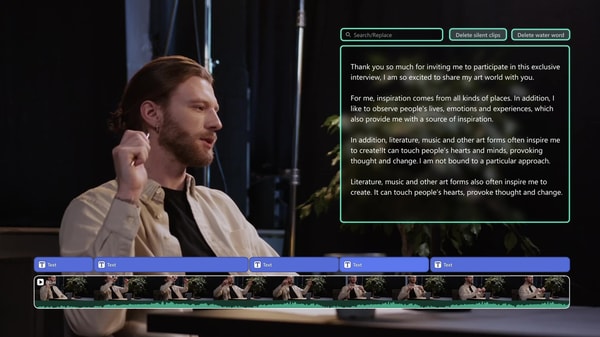
Wondershare Filmora offers an accessible online video editing service designed for various skill levels. It provides users with easy-to-use tools and features suitable for both desktop and mobile platforms, simplifying the editing process without requiring advanced expertise.
The platform is trusted by millions worldwide and has received positive recognition for its balance of usability and functionality. It supports over 2.9 million creative assets and offers AI-powered features that enhance productivity and creative options.
This service suits creators looking for straightforward editing without the steep learning curve of professional software. However, some advanced features and AI tools may have limitations or require additional credits. For a detailed evaluation, see our Wondershare Filmora review.
Other opinions about Wondershare Filmora
Opinions and insights gathered from trusted review articles and authoritative websites covering Wondershare Filmora.
Filmora Overview
Wondershare Filmora is a video editing software developed by Wondershare, designed to provide users with tools to create and edit videos efficiently. Originating from Wondershare, a company specializing in multimedia software, the platform operates across multiple devices including desktop and mobile. It offers a wide range of features such as AI-powered editing tools, effects, and transitions to facilitate content creation without requiring extensive technical expertise.
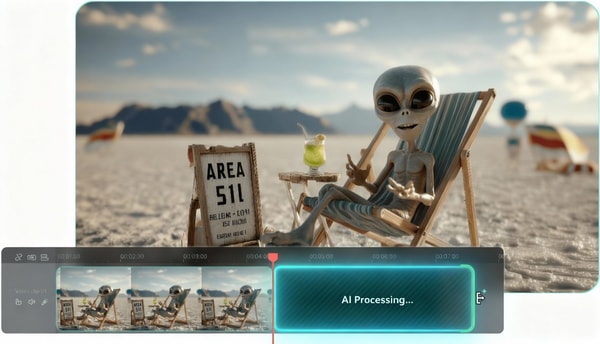
The software serves as a comprehensive online service that caters to individual creators, businesses, and educators, enabling them to produce professional-quality videos. Filmora integrates with cloud storage and includes access to a large library of creative assets and templates, thus supporting an efficient workflow. It utilizes AI technology for functions like video enhancement, auto-captioning, and content generation, enhancing productivity in video production.
Wondershare Filmora is continuously developed with regular updates that introduce new tools and improve existing ones, focusing on usability and expanded functionality. The service supports multiple video formats and offers direct export options to platforms such as YouTube. In the context of a Wondershare Filmora Review, the software is recognized for blending advanced video editing capabilities with user-friendly design to meet diverse editing needs.
Wondershare Filmora Review
Wondershare Filmora is a multimedia software brand focusing on video editing solutions for a wide range of users. It aims to offer accessible and efficient tools that empower both beginners and more experienced creators. The brand emphasizes AI-driven features and cross-platform compatibility to enhance the video creation process.
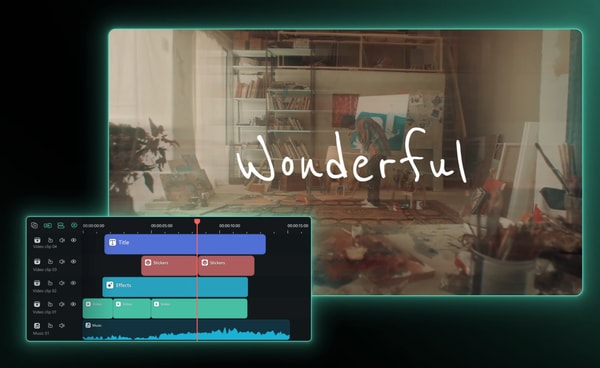
Filmora provides versatile video editing products compatible with Windows, macOS, iOS, and Android systems. Its offerings include AI-powered tools such as video extenders and motion tracking, coupled with user-friendly interfaces. Positioned as a solution for casual and semi-professional editors, Filmora balances ease of use with advanced editing capabilities.
Wondershare Filmora Highlights- AI-supported editing features
- Multi-platform availability
- Wide video format support
- Extensive creative asset library
- Advanced motion and keyframe tools
Wondershare Filmora Review
The Filmora Basic Plan provides essential video editing features with a simplified workflow suited for personal and occasional projects. It offers reliable performance for HD and 4K video editing through an intuitive drag-and-drop timeline interface.
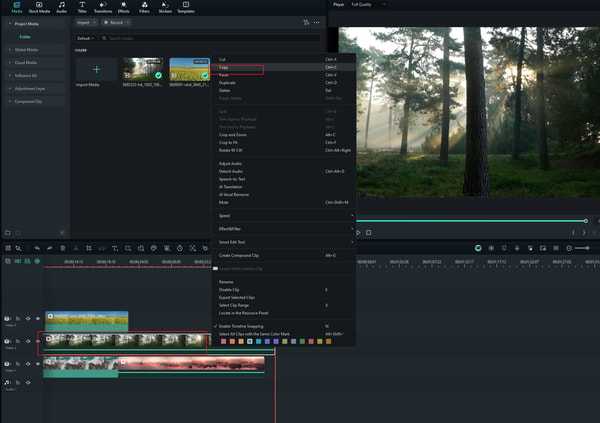
This plan includes 1GB of cloud storage and access to over 2.9 million creative assets, supporting a wide range of editing needs. Users can export videos without a watermark, enhancing the overall professionalism of their projects.
With over 100 advanced editing features included, the Basic Plan is priced at US$8.99 per month with automatic renewal. It serves as a solid choice for users seeking straightforward video editing capabilities without extensive use of AI tools.
Price $8.99 • filmora.wondershare.com
Wondershare Filmora Advanced Plan Review
The Filmora Advanced Plan is designed for users who need enhanced AI features and expanded cloud storage to support more complex video projects. It is well-suited for freelancers and content creators seeking efficient AI-driven tools to streamline their workflow.
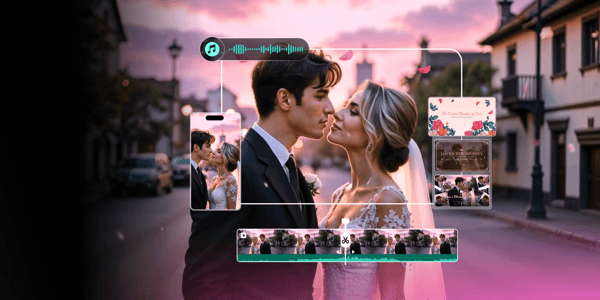
This subscription includes 1,000 AI credits per month and 10GB of cloud storage. Subscribers also benefit from ongoing updates to AI features along with all the benefits provided in the Basic Plan.
Priced at US$29.99 per year, the plan offers advanced capabilities such as AI video extender, AI sound effects, and AI text-to-video functions. These tools help users improve and innovate their video editing projects effectively.
Price $29.99 • filmora.wondershare.com
Wondershare Filmora Perpetual License Review
The Filmora Perpetual License is a one-time purchase option designed for users who want to own the software indefinitely without any ongoing subscription fees. It suits those who prefer a fixed cost rather than recurring payments.

This license includes 1,000 AI credits, 1GB of cloud storage, and access to updates for version 15. It focuses on essential editing tools with support for 4K video export.
Priced at US$49.99, this license does not provide access to Filmora’s mobile applications or continuous feature additions beyond the version 15 updates. It offers core editing capabilities for users prioritizing long-term software ownership.
Price $49 • filmora.wondershare.com
Wondershare Filmora Pros & Cons
Wondershare Filmora offers fast rendering speeds and a wide range of AI-powered editing tools, making it suitable for both beginners and semi-professionals. Its intuitive and clean interface, along with support for multi-platform editing, allows users to create and manage projects across desktop and mobile devices seamlessly. Additionally, a large library of creative assets and templates enhances the editing experience offering flexible pricing plans including subscription and perpetual license options to accommodate different user needs.
Despite its strengths, some AI tools in Filmora may underperform or present a learning curve for new users. The software is also limited by the absence of advanced trimming modes such as slip, slide, and roll, which could restrict more precise editing. Furthermore, it lacks support for 360° VR video editing and DVD menu creation, which may be a drawback for users requiring these specific capabilities.
- • Fast rendering speeds
- • Wide range of AI editing tools
- • Intuitive and clean interface
- • Multi-platform editing support
- • Large library of creative assets
- • Beginner and semi-professional friendly
- • Flexible pricing plans
- • Includes perpetual license option
- • Some AI tools underperform
- • Learning curve for AI tools
- • Lacks advanced trimming modes
- • No 360° VR video editing support
- • No DVD menu creation
Return Policy
Wondershare offers a 30-day money-back guarantee on software purchased directly from their website. Refund requests must be submitted within 30 days of purchase and will be processed without any fees if all conditions are met. This policy applies exclusively to purchases made through Wondershare's official channels.
Refunds for software purchased through third-party stores such as Google Play or Apple Store are not handled by Wondershare. Customers seeking refunds for these purchases must contact the respective platform for assistance. Wondershare does not process refunds for purchases made on these third-party platforms.
Where to buy Wondershare Filmora?
Wondershare Filmora is officially available for purchase through its website, ensuring access to a structured account system, clear policies, and dedicated support channels, which together provide a reliable buying experience. Users can expect a range of licensing options with seamless digital delivery when visiting filmora.wondershare.com, though it is worth noting that marketplace availability and pricing might vary, and the user experience outside the official digital environment can differ in terms of stock and service.
Conclusion of Wondershare Filmora reviews & ratings
Wondershare Filmora holds a significant position in video editing thanks to its clear interface and versatile features. The platform offers a robust set of tools including AI-assisted editing and extensive creative assets, making it accessible for both beginners and experienced users. Users can find detailed information and updates at filmora.wondershare.com as they explore options tailored to various project needs.
For those interested in a balanced overview, the Wondershare Filmora review provides insights that help understand the software’s capabilities and limitations. This resource allows readers to revisit and evaluate Filmora’s features at their own pace, supporting a well-informed decision about its fit for different editing tasks.
Editorial notes reflect aggregated buyer feedback and our independent editorial review of publicly available information. They are for informational purposes only and do not constitute endorsements. Purchases are made at your own discretion, and we are not responsible for transactions or outcomes related to this store. Experiences may vary. This content is assisted by AI and reviewed by our editorial team. While we strive for accuracy, AI-supported information may not always be 100% precise, so please verify any critical details.

